 United States
 India
India United Kingdom
 Australia
 Canada
 Nigeria
 Others


 Learning Saint
Imagine there is a company where the sales team keeps its own notebook, the warehouse keeps one for them, and the finance team also maintains the 3rd one. But none of the employees agree on how much stock is left or how much revenue the company has earned in the last month. You must be feeling the lack of management, right? But this is exactly how a lot of businesses used to run.
Big brands or companies noticed this problem and finally fixed it with one shared system. The best of all comes from a German company known as SAP.
This article will answer the simplest yet recurring questions in mind, such as “What is SAP ERP?” and “Why are so many huge companies dependent on it?” It will explain the history of SAP ERP, the core parts of it, the strongest features of it, and the limitations it faces in easy and readable language.
What do you understand by SAP ERP?
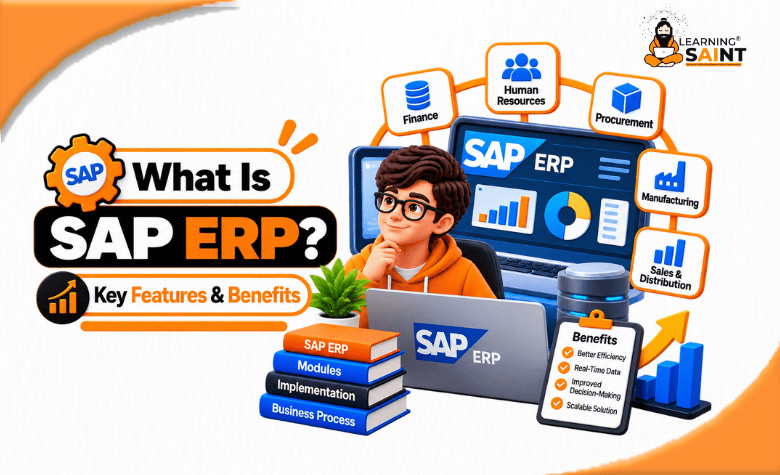
SAP ERP is business software that maintains all the important work of a company in a single system. ERP is a short form for Enterprise Resource Planning. In simple words, it is software that plans and manages the resources that a business uses, such as money, machines, and people.
The shortest answer to what SAP ERP is: one database, many departments, and a single version of the truth.
For example, when any salesperson takes an order, the warehouse verifies the availability of the product at once. When the warehouse ships the product, the finance team checks the invoice at once. There is no requirement to send emails full of spreadsheets. No one is required to type the same number twice, and no one is required to make assumptions about which copy of the file is the correct one.
SAP is the company that develops this software. Their core modified ERP product is called SAP s/4HANA. The older product, which is still used by thousands of firms, is known as SAP ECC.
What is the brief history of SAP?
While studying a certain product, the most important thing is to study its history. 5 former engineers of IBM started SAP in June 1972 in Weinheim, Germany. Their respective names were Dietmar Hopp, Hasso Plattner, Klaus Tschira, Claus Wellenreuther, and Hans-Werner Hector. The company is currently based in Walldorf, Germany.
The name SAP refers to Systems, Applications, and Products in Data Processing.
The following are the main steps followed along the way:
- 1979 – SAP R/2. There was a business suite that operated on large mainframe computers.
- 1992 – SAP R/3. Its next move was to a client-server setup, and sales grew worldwide.
- 2010 – SAP HANA. It was modified into an in-memory database that maintains data in fast memory instead of on disc only.
- 2013 – SAP Fiori. Then came a cleaner screen design that would work accurately on phones and tablets.
- 2015 – SAP S/4HANA. The current ERP suite is developed to run on SAP HANA.
Reading and understanding this timeline is important, as both old and new versions are still in everyday use across the world.
What is SAP software?
Usually, people end up mixing the two things. People often mix up the two things. So it is time to separate them.
When you are discussing what SAP software is, you must cover everything that the company sells. That includes the tools used for hiring staff, purchasing goods, travel expenses, and reporting.
To make the picture a little clearer, imagine a toolbox. SAP is exactly that whole toolbox.
How does ERP fit in?
Imagine it like this: SAP is the whole toolbox, and ERP is the largest tool inside it, and it is the one thing that everything else plugs into.
There is also one smaller product known as SAP Business One, built specially for small companies. So, SAP is not only for huge firms, though the ERP suite generally is.
What are the core modules that SAP software is made up of?
The SAP system is further divided or split into parts that are known as modules. Each module responsibly handles a single area of work; however, they share the same data.
The following is the most common module that you will hear about the most:
- FI – FI is the module that is known as financial accounting. It is responsible for the maintenance of official books such as ledgers, payments, taxes, and reports.
- CO – This module stands for controlling. It manages the internal costing. It shows which product or team is actually generating revenue.
- MM – MM is referred to as materials management. It handles the department of buying goods, storing them, and tracking the stock shipment
- SD – The SD module is written as sales and distribution. Areas such as quotes, orders, deliveries, and customer invoices are managed under this module.
- PP – This module is known to be written as production planning. It manages factory planning, work orders, and schedules.
- QM – QM stands for Quality Management. This module is responsible for inspections and quality checks.
- PM – PM is also referred to as plant maintenance. It is a module that basically handles repairs and service plans for the machines.
- HCM – The next module is HCM, which stands for Human Capital Management. It basically handles staff records, time, and payroll.
- PS – Lastly, there is PS, which stands for Project System. This module handles budgets and progress for longer and bigger projects.
If you are someone who wants to understand what SAP ERP software is, you must imagine these modules as different rooms in one single house. Each room is given its own purpose, but the wiring and plumbing operate through the whole building.
What are the core features of the SAP system?
After the entire discussion of the modules, it is time for you to know what things the system is actually good at:
- Real-Time Data: In the business, one of the most difficult and frustrating things is not being able to get real-time data to check or verify. Currently, SAP HANA holds the data in memory, which is why the reports that used to take a whole day to finish can now be done in just a few seconds. Due to this, a manager can easily check today’s numbers or data for today only.
- One database shared: Usually, companies have a single record of each consumer, part, and invoice. This shared record is known as master data. It generally stops 2 teams from arguing over 2 separate figures or numbers.
- The Universal Journal: S/4HANA has brought a few changes to the table. While working on it, finance and costing work on one table instead of many. It helps in removing a lot of the old work of matching one report against another.
- A modified screen design: Using SAP has also resulted in modernising the screen framework. SAP Fiori provides its users with simple tiles and forms that work on a phone. The screens before SAP Fiori were dense and hard for new staff.
- Deep customisation: Deep customisation refers to the allowance for companies to change settings and for developers to write extra code in the language of SAP, known as ABAP.
- Built-in rules and controls: The SAP system does not ask you to check over every rule or to feed every control option. It offers a built-in system that records who did what and when. That audit trail plays an important role during a financial audit.
- Ready-made industry versions: The SAP software ships standard setups for retail purposes, banking, oil and gas, the public sector, and more, so that the firms do not have to start from scratch.
- Many languages and currencies: Imagine there is a brand that has its office branches in 10 countries. SAP software allows them to operate one system, while each office handles its own language, currency, and local tax rules. However, smaller packages usually stop at 2 or 3 countries, so this is a deciding point for global firms.
- Cloud or on-site: Lastly, S/4HANA is capable of operating in SAP’s cloud, in a different provider’s cloud, or even on servers that the company owns.
What are the core benefits of SAP ERP for a business?
'Features' refers to the skills or the functions that the software has, but benefits are how the software can be used for the benefit of the business.
The following are the real and practical benefits that SAP ERP brings to the table for firms:
- Fewer errors: If the same figure is to be fed into 4 separate systems, it will create 4 different chances to make mistakes. Which is why SAP ERP performs it in one chance, which automatically means far fewer chances for mistakes.
- Faster completion of accounting books: Most firms or companies cut their month-end close from weeks to days once their finance and operations start sharing a system.
- Better stock management: Better stock management means allowing buyers or consumers to see the real demand instead of guessing. This ultimately lowers both shortages and dead stock sitting somewhere in the corner of the warehouse.
- Clear Costs: Clear costs mean knowing the actual cost of each product line. Controlling shows the true cost of every product in the stock line, which helps a firm drop the ones that are ultimately losing money.
- Easier audits and compliance: Each country has its own set of rules regarding taxes. SAP software supports many local rules and maintains the paper trail that the auditors ask for.
- Space to grow: SAP software allows a company or a firm to add a new factory, country, or currency without needing to develop a new system from scratch.
- A large pool of skilled talent: While developing SAP, it was taught and used for almost decades, so that trained consultants and staff are easier to find than for rare systems.
How does an SAP project usually operate?
Under SAP software, there is a standard method known as SAP Activate.
Most SAP projects follow the following 6 stages:
- Discover: The first phase is discovery. In this phase, the company tries a trial system and checks if the fit is accurate.
- Prepare: In the preparation system team, budget, and plan are agreed upon and decided. Suggestively, someone senior must lead the project.
- Explore: Exploring means the process of brand heads sitting with the consultants and comparing how they operate today against how the standard software operates.
- Realise: In the next step, the SAP software system is being set up and fed with the cleaned data.
- Deploy: The next step of the project is to deploy. In this step, the staff is trained, and the system finally goes live, usually over a weekend.
- Run: The last step of the process is to run. This includes the support settling in, problems being fixed, and improvements being continued.
Conclusion:
One-sentence summary of SAP ERP: It is a big, linked-up business system that keeps all a company’s money, materials, production, and people in one common set of books so that everyone is working off the same numbers.
Those strengths are real. Live data, the one version of the truth, strong financial controls, multi-country support, and a deep pool of trained people. Its costs are also real. The money, the time, the change in habits. It all adds up.
Many companies are making this decision today, with the deadline for maintaining SAP ECC being 2027. If yours is one of them, begin with the business problem you want to solve, not the software. Then you evaluate the system against that problem.
Is SAP ERP magic? No. Is it a shortcut? No. It is a reliable backbone for a company too complex to run on spreadsheets. That is the honest answer to what SAP ERP is.


Reply To Elen Saspita