 United States
 India
India United Kingdom
 Australia
 Canada
 Nigeria
 Others


 Learning Saint
Cybersecurity is the practice of protecting computers, networks, systems, and data from unauthorized access, damage, or cyber attacks. It ensures that sensitive information stays safe from hackers and malicious activities in the digital world.
Today, cyber attacks are increasing rapidly due to the growing use of the internet, online banking, cloud services, and remote work. As more people and businesses go digital, attackers find new ways to exploit vulnerabilities, making cybersecurity more important than ever.
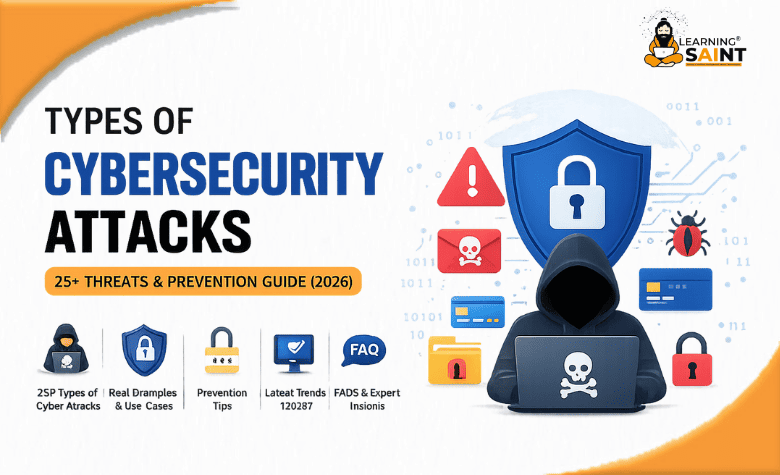
In this blog, you will learn about 25+ types of cybersecurity attacks, how they work, real-life examples, and practical prevention tips to help you stay secure online.
1. Malware Attack
Malware (malicious software) is a broad category of harmful programs such as viruses, worms, trojans, spyware, and adware. It is designed to damage systems, steal sensitive data, or gain unauthorized access to devices. Malware usually enters a system through infected downloads, email attachments, pirated software, or malicious websites. Once installed, it can run silently in the background, monitor user activity, steal passwords, or even control the system remotely. Some advanced malware can disable security software and spread across networks, making it highly dangerous for both individuals and businesses.
Example
You download a free cracked version of software from an unknown website. After installation, your system slows down, and unknown programs start running. In the background, spyware records your keystrokes and sends your banking details to hackers.
Solution / Prevention
- Always download software from official and trusted sources
- Install and regularly update antivirus/anti-malware tools
- Avoid clicking on suspicious links or email attachments
- Keep your operating system and applications updated
- Use a firewall to block unauthorized access
2. Ransomware Attack
Ransomware is a type of malware that blocks access to your system or encrypts your files and demands a ransom payment to restore access. It typically spreads through phishing emails, malicious attachments, compromised websites, or software vulnerabilities. Once inside, ransomware quickly encrypts important files using strong encryption algorithms, making them inaccessible. Attackers then display a ransom note demanding payment—often in cryptocurrency—to provide a decryption key. In many cases, even after payment, there is no guarantee that data will be recovered, making ransomware one of the most dangerous cyber threats today.
Example
An employee receives an email with an attachment labeled “Invoice.” After opening it, all files on the computer and network get encrypted, and a message appears demanding payment in Bitcoin to unlock the data.
Solution / Prevention
- Regularly back up data to offline or secure cloud storage
- Avoid opening unknown email attachments or links
- Keep systems and software updated with latest patches
- Use reliable antivirus and endpoint protection tools
- Disable macros in documents from untrusted sources
3. Phishing Attack
Phishing is a social engineering attack where cybercriminals trick users into revealing sensitive information such as usernames, passwords, credit card details, or OTPs. Attackers create fake emails, messages, or websites that look like they come from trusted sources such as banks, social media platforms, or popular companies. These messages often create urgency (e.g., “Your account will be blocked”) to pressure users into clicking malicious links. Once the victim enters their details on a fake website, the attacker captures the data and can misuse it for fraud, identity theft, or unauthorized access.
Example
You receive an email that looks like it’s from your bank, asking you to verify your account. The link takes you to a fake login page that looks real. After entering your credentials, hackers gain access to your account.
Solution / Prevention
- Always check the sender’s email address and website URL carefully
- Avoid clicking on suspicious or unknown links
- Enable Multi-Factor Authentication (MFA) for extra security
- Never share OTPs or sensitive information via email or messages
- Use spam filters and updated security tools
4. Spear Phishing
Spear phishing is a highly targeted form of phishing where attackers customize messages for a specific person, team, or organization. Instead of sending generic emails, they research the victim using social media, company websites, or data leaks to craft believable messages that reference real names, roles, projects, or vendors. These emails often appear to come from a trusted colleague, manager, or partner and may request sensitive data, login credentials, or urgent actions like payments. Because the message feels personal and legitimate, victims are more likely to trust it and fall for the attack.
Example
An employee receives an email that appears to be from their manager, mentioning a current project and asking them to quickly share login details or download a “project file,” which is actually malicious.
Solution / Prevention
- Verify unusual requests through a separate communication channel
- Avoid sharing credentials or sensitive data via email
- Train employees to recognize targeted phishing tactics
- Use advanced email filtering and security tools
- Limit publicly available personal and company information
5. Whaling Attack
Whaling is a highly targeted phishing attack aimed at senior executives like CEOs, CFOs, or directors. Attackers research the organization and craft convincing emails that appear to come from trusted sources such as legal authorities, partners, or even internal leadership. These messages often create urgency—like confidential deals, legal notices, or payment approvals—to pressure executives into taking quick action. Since high-level officials have access to critical data and financial systems, a successful whaling attack can lead to major financial losses, data breaches, or reputational damage.
Example
A CFO receives an urgent email that looks like it’s from the CEO requesting an immediate wire transfer for a confidential business deal. Trusting the message, the CFO transfers funds to a fraudulent account controlled by attackers.
Solution / Prevention
- Always verify high-value or urgent requests through a second channel
- Implement strict approval processes for financial transactions
- Use Multi-Factor Authentication (MFA) on executive accounts
- Provide cybersecurity awareness training for leadership
- Monitor and filter emails for spoofing and suspicious activity
6. Man-in-the-Middle (MITM) Attack
A Man-in-the-Middle (MITM) attack occurs when a cybercriminal secretly intercepts communication between two parties—such as a user and a website—without their knowledge. The attacker positions themselves between the sender and receiver, capturing or even altering the data being exchanged. This often happens on unsecured public Wi-Fi networks, where attackers can create fake hotspots or exploit weak encryption. Once connected, they can steal login credentials, financial details, or sensitive information. Some advanced MITM attacks can also inject malicious content into websites or redirect users to fake pages.
Example
You connect to free public Wi-Fi at a café and log into your banking account. An attacker on the same network intercepts your session and captures your username and password.
Solution / Prevention
- Avoid accessing sensitive accounts on public Wi-Fi networks
- Use a trusted VPN to encrypt your internet connection
- Always check for HTTPS (secure websites) before entering data
- Enable Multi-Factor Authentication (MFA) for extra security
- Turn off automatic Wi-Fi connections on your device
7. Password Attack (Brute Force / Dictionary)
A password attack is when hackers try to gain unauthorized access by cracking user passwords. In a brute force attack, attackers use automated tools to try thousands or millions of password combinations until they find the correct one. In a dictionary attack, they use a list of common passwords, words, and patterns (like “123456” or “password@123”). These attacks are highly effective against weak or reused passwords. Once attackers gain access, they can steal personal data, financial information, or even take full control of accounts and systems.
Example
A user sets a simple password like “admin123.” Hackers run automated scripts that quickly guess the password and gain access to the account, leading to data theft or misuse.
Solution / Prevention
- Use strong, long, and unique passwords for every account
- Enable Multi-Factor Authentication (MFA) for added security
- Use a password manager to generate and store complex passwords
- Limit login attempts and enable account lockout policies
- Avoid reusing passwords across multiple platforms
8. Distributed Denial-of-Service (DDoS) Attack
A Distributed Denial-of-Service (DDoS) attack is a cyber attack where multiple compromised devices (called a botnet) flood a server, website, or network with massive traffic. The goal is to overwhelm system resources—like bandwidth, CPU, or memory—so legitimate users cannot access the service. Attackers often control thousands of infected computers or IoT devices remotely and use them to send continuous requests. This causes slow performance, crashes, or complete downtime, which can severely impact businesses, especially e-commerce platforms and online services.
Example
During a major online sale, an attacker launches a DDoS attack on an e-commerce website. The sudden spike in fake traffic causes the website to crash, preventing real customers from accessing it and leading to revenue loss.
Solution / Prevention
- Use DDoS protection services and Content Delivery Networks (CDN)
- Implement firewalls and traffic filtering systems
- Monitor traffic patterns to detect unusual spikes
- Apply rate limiting to control excessive requests
- Have a disaster recovery and incident response plan
9. SQL Injection Attack
SQL Injection (SQLi) is a web attack where attackers insert malicious SQL code into input fields (like login forms or search boxes) to manipulate a database. If the application doesn’t properly validate user input, the injected code gets executed by the database. This can allow attackers to bypass authentication, view, modify, or delete sensitive data such as user credentials, financial records, or personal information. SQL injection is dangerous because it directly targets the backend database, which stores critical information.
Example
A login form asks for username and password. An attacker enters special SQL code instead of normal input, tricking the system into granting access without valid credentials.
Solution / Prevention
- Use prepared statements and parameterized queries
- Validate and sanitize all user inputs
- Limit database permissions (least privilege principle)
- Use Web Application Firewalls (WAF)
- Regularly test applications for vulnerabilities
10. Cross-Site Scripting (XSS)
Cross-Site Scripting (XSS) is a web security vulnerability where attackers inject malicious scripts (usually JavaScript) into trusted websites. When users visit the affected page, the script runs in their browser as if it were part of the site. This allows attackers to steal session cookies, capture login details, redirect users, or perform actions on their behalf. XSS commonly occurs in forms, comment sections, or search fields that don’t properly validate or sanitize user input. It can be stored, reflected, or DOM-based, depending on how the script is executed.
Example
A hacker posts a malicious script in a website’s comment section. When other users view the comment, the script runs and steals their session cookies, allowing the attacker to hijack their accounts.
Solution / Prevention
- Validate and sanitize all user inputs before displaying
- Use output encoding to prevent script execution
- Implement Content Security Policy (CSP)
- Use secure cookies (HttpOnly and Secure flags)
- Keep frameworks and libraries updated
11. Zero-Day Exploit
A Zero-Day Exploit targets a software vulnerability that is unknown to the vendor or has no official patch available yet. Because developers have “zero days” to fix it, attackers can exploit the flaw before any defense exists. Cybercriminals scan systems or purchase undisclosed vulnerabilities on the dark web, then create exploit code to gain access, execute malware, or steal sensitive data. These attacks are highly dangerous because traditional security tools may not detect them, making systems vulnerable until a patch or update is released.
Example
A hacker discovers a flaw in a popular web browser and uses it to install malware on users’ systems when they visit a compromised website—before the browser company releases a security update.
Solution / Prevention
- Keep all software and systems updated regularly
- Use advanced threat detection and behavior-based security tools
- Limit system access and follow least privilege principles
- Monitor networks for unusual activity
- Apply virtual patching and security configurations
12. Social Engineering Attack
A social engineering attack manipulates human behavior to gain unauthorized access to sensitive information or systems. Instead of exploiting technical vulnerabilities, attackers exploit trust, fear, urgency, or curiosity. They may impersonate trusted individuals (IT staff, bank agents, colleagues) via email, phone (vishing), SMS (smishing), or in person. By creating believable scenarios—like “account verification” or “urgent support”—they trick victims into revealing passwords, OTPs, or confidential data. Because it targets human psychology, even strong technical security can be bypassed if users are not cautious.
Example
A caller pretends to be from the IT department and says your account will be locked unless you confirm your password immediately. Trusting the request, you share your credentials, giving the attacker direct access.
Solution / Prevention
- Never share passwords, OTPs, or sensitive data on calls or emails
- Verify identity through official channels before taking action
- Be cautious of urgent or emotional requests
- Conduct regular security awareness training
- Use Multi-Factor Authentication (MFA) to reduce risk
13. Insider Threat
An insider threat occurs when someone within an organization—such as an employee, contractor, or partner—misuses their authorized access to harm systems, data, or operations. This can be malicious (intentional data theft, sabotage) or negligent (accidental leaks, weak security practices). Insiders already have access to sensitive systems, making their actions harder to detect. They may copy confidential files, share credentials, or click on malicious links, leading to data breaches or system compromise. Because trust is involved, insider threats can cause serious financial and reputational damage.
Example
A dissatisfied employee downloads confidential company data before leaving the job and shares it with a competitor, causing a major data breach.
Solution / Prevention
- Apply least privilege access control
- Monitor user activity and access logs
- Conduct regular security audits
- Provide employee cybersecurity training
- Implement data loss prevention (DLP) tools
14. Advanced Persistent Threat (APT)
An Advanced Persistent Threat (APT) is a highly sophisticated and long-term cyber attack where attackers gain unauthorized access to a network and remain undetected for an extended period. Unlike typical attacks, APTs are carefully planned and often target large organizations, government systems, or critical infrastructure. Attackers use multiple techniques—such as phishing, malware, and zero-day exploits—to infiltrate systems. Once inside, they quietly monitor activities, steal sensitive data, and expand their access over time, making detection extremely difficult.
Example
A hacker group targets a company’s network, gains access through a phishing email, and remains hidden for months, continuously collecting confidential data like trade secrets and customer information.
Solution / Prevention
- Implement advanced threat detection and monitoring systems
- Regularly audit networks and system activities
- Use strong access controls and segmentation
- Keep systems updated with latest security patches
- Train employees to identify suspicious activities
15. Credential Stuffing Attack
Credential stuffing is an automated attack where hackers use stolen usernames and passwords (from previous data breaches) to try logging into multiple websites and apps. Since many users reuse the same credentials across platforms, attackers can gain access without hacking the system directly. They use bots to test thousands of combinations quickly on login pages. If successful, attackers can take over accounts, access personal data, perform unauthorized transactions, or sell access on the dark web. This attack is dangerous because it exploits poor password habits rather than system vulnerabilities.
Example
A user’s login details leaked from a shopping website are reused by attackers to access their email and banking accounts, leading to financial loss and identity theft.
Solution / Prevention
- Use unique passwords for every account
- Enable Multi-Factor Authentication (MFA)
- Avoid saving passwords on insecure platforms
- Monitor accounts for suspicious login activity
- Use password managers to create strong credentials
16. DNS Spoofing (Cache Poisoning)
DNS spoofing, also known as cache poisoning, is an attack where hackers manipulate the Domain Name System (DNS) to redirect users from legitimate websites to fake or malicious ones. Normally, DNS translates a website name into its correct IP address. In this attack, the attacker injects false information into a DNS server’s cache, causing it to return an incorrect IP address. As a result, users unknowingly visit a fake website that looks identical to the real one, allowing attackers to steal login credentials, financial data, or install malware.
Example
You type your bank’s website URL in your browser, but due to DNS poisoning, you are redirected to a fake site that looks exactly the same. When you enter your login details, hackers capture your credentials.
Solution / Prevention
- Use secure DNS services (DNSSEC-enabled)
- Avoid clicking unknown or suspicious links
- Always check website URL and HTTPS certificate
- Use antivirus and anti-phishing tools
- Clear DNS cache regularly and keep systems updated
17. Identity Theft Attack
An identity theft attack occurs when cybercriminals steal a person’s personal information—such as name, address, Aadhaar/PAN details, bank info, or login credentials—and use it to impersonate them for financial gain or fraud. Attackers gather this data through phishing, data breaches, malware, or social engineering. Once they have enough information, they can open bank accounts, apply for loans, make online purchases, or access existing accounts. Because the activity appears to come from the real user, detection can be difficult and the damage can be serious.
Example
A hacker obtains your personal details from a leaked database and uses them to apply for a credit card or make unauthorized transactions in your name.
Solution / Prevention
- Never share personal or financial details on unknown platforms
- Enable Multi-Factor Authentication (MFA) on important accounts
- Regularly monitor bank statements and credit reports
- Use strong, unique passwords for all accounts
- Avoid using public Wi-Fi for sensitive transactions
18. Cloud Security Attack
A cloud security attack targets data, applications, or services hosted on cloud platforms. These attacks often occur due to misconfigured cloud settings, weak access controls, unsecured APIs, or stolen credentials. Since cloud environments are accessible over the internet, attackers scan for exposed storage buckets, open ports, or poorly secured accounts. Once they gain access, they can steal sensitive data, modify configurations, or disrupt services. Cloud attacks are especially dangerous because a single vulnerability can expose large volumes of data stored across multiple systems.
Example
A company stores customer data in a cloud storage bucket but leaves it publicly accessible due to misconfiguration. Hackers discover it and download thousands of user records.
Solution / Prevention
- Configure cloud settings properly and restrict public access
- Use strong authentication methods like Multi-Factor Authentication (MFA)
- Regularly audit cloud security and permissions
- Encrypt sensitive data stored in the cloud
- Monitor cloud activity for unusual behavior
19. Email Spoofing
Email spoofing is a cyber attack where the sender’s address is forged to make an email appear as if it’s coming from a trusted person or organization. Attackers manipulate email headers so the message looks legitimate—often mimicking banks, companies, or even internal team members. These emails usually contain malicious links, attachments, or urgent requests to trick users into sharing sensitive information or transferring money. Since the email appears genuine, many users fail to verify its authenticity, making spoofing a common method used in phishing and business email compromise attacks.
Example
You receive an email that appears to be from your company’s HR department asking you to update your payroll details through a link. The link leads to a fake website where your information is captured by attackers.
Solution / Prevention
- Always verify the sender’s email address carefully
- Avoid clicking on suspicious links or downloading unknown attachments
- Use email authentication protocols like SPF, DKIM, and DMARC
- Enable spam filters and email security tools
- Confirm sensitive requests through official communication channels
20. Supply Chain Attack
A supply chain attack targets an organization by compromising a trusted third-party vendor, software provider, or service partner. Instead of attacking the main target directly, attackers infiltrate weaker links in the supply chain—such as software updates, plugins, or managed services. Malicious code is injected into legitimate software or systems, which then gets distributed to all users or client organizations. Because the source appears trusted, the attack can spread widely before detection. This makes supply chain attacks highly dangerous and capable of impacting thousands of systems at once.
Example
A popular software provider releases an update that unknowingly contains malicious code inserted by attackers. When businesses install the update, their systems become compromised, allowing attackers to access sensitive data.
Solution / Prevention
- Verify and monitor third-party vendors and partners
- Use code signing and integrity checks for software updates
- Limit third-party access to critical systems
- Regularly audit supply chain security
- Implement zero-trust security models
21. Drive-by Download Attack
A drive-by download attack occurs when malicious software is automatically downloaded and installed on a user’s device without their knowledge or consent. This usually happens when a user visits a compromised or malicious website that contains hidden scripts or exploit kits. These scripts scan the user’s browser, plugins, or operating system for vulnerabilities and silently install malware if any weakness is found. The user doesn’t need to click anything—just visiting the infected page is enough. This makes drive-by attacks especially dangerous, as they require minimal interaction and can easily go unnoticed.
Example
You visit a normal-looking website, but it has been compromised by attackers. Without clicking any link or download button, malware gets installed on your system due to an outdated browser plugin.
Solution / Prevention
- Keep your browser, plugins, and operating system updated
- Avoid visiting untrusted or suspicious websites
- Use reliable antivirus and web security tools
- Disable unnecessary plugins and extensions
- Enable browser security settings like pop-up blockers
22. Botnet Attack
A botnet attack involves a network of infected devices (called “bots” or “zombies”) that are controlled remotely by a hacker, known as the botmaster. These devices can include computers, smartphones, or IoT devices infected with malware. Once compromised, they operate silently and follow commands from a central server. Attackers use botnets to perform large-scale malicious activities such as DDoS attacks, spam campaigns, credential stuffing, or data theft. Since thousands of devices are involved, botnet attacks are powerful and difficult to trace back to the attacker.
Example
Your computer gets infected with malware from a malicious download. Without your knowledge, it becomes part of a botnet and is used to send spam emails or flood a website with traffic during a DDoS attack.
Solution / Prevention
- Install and regularly update antivirus/anti-malware software
- Avoid downloading files from untrusted sources
- Keep your system and IoT devices updated
- Use strong passwords and secure network settings
- Monitor unusual device or network activity
23. Rootkit Attack
A rootkit attack involves malicious software designed to gain deep, hidden access to a computer system—often at the administrator or “root” level. Rootkits are built to stay undetected by disguising their presence and modifying system files or processes. Once installed, they allow attackers to remotely control the system, steal data, monitor activity, or install additional malware. Rootkits can enter through phishing emails, infected downloads, or exploiting system vulnerabilities. Because they operate at a low level in the system, they are extremely difficult to detect and remove using standard security tools.
Example
You unknowingly install a malicious program disguised as legitimate software. It secretly installs a rootkit that hides itself while giving attackers full control of your system and access to sensitive data.
Solution / Prevention
- Keep your operating system and software updated
- Use advanced security tools capable of detecting rootkits
- Avoid downloading software from untrusted sources
- Perform regular system scans and integrity checks
- Reinstall the operating system if infection is severe
24. Session Hijacking
Session hijacking is an attack where a hacker takes control of a user’s active session after login. Websites use session IDs (stored in cookies) to keep users logged in. If attackers steal or predict this session ID, they can impersonate the user without needing a password. This often happens through unsecured Wi-Fi, Cross-Site Scripting (XSS), or packet sniffing. Once the session is hijacked, attackers can access sensitive data, perform transactions, or change account settings as if they were the real user.
Example
You log into your social media account on public Wi-Fi. An attacker intercepts your session cookie and uses it to access your account without knowing your password.
Solution / Prevention
- Always use HTTPS-secured websites
- Avoid logging into sensitive accounts on public Wi-Fi
- Log out from accounts after use, especially on shared devices
- Use secure cookies (HttpOnly, Secure flags)
- Enable Multi-Factor Authentication (MFA)
25. Cryptojacking
Cryptojacking is a cyber attack where hackers secretly use your device’s computing power to mine cryptocurrency without your knowledge or consent. This is typically done by injecting malicious scripts into websites, ads, or software. When you visit an infected site or install compromised software, the script runs in the background and uses your CPU or GPU to mine crypto for the attacker. This can slow down your device, increase power consumption, and even cause hardware damage over time. Since it operates silently, many users remain unaware of the attack.
Example
You visit a website that contains hidden mining scripts. While browsing, your laptop becomes unusually slow and overheats because it’s secretly mining cryptocurrency for hackers.
Solution / Prevention
- Use ad blockers and anti-cryptojacking browser extensions
- Keep your browser and system updated
- Avoid visiting suspicious or untrusted websites
- Install reliable antivirus or endpoint protection
- Monitor CPU usage for unusual spikes
Prevention Guide (Overall Security Tips)
Protecting yourself from cyber attacks doesn’t require advanced technical skills—just consistent, smart security habits. The first step is to use strong and unique passwords for every account. Avoid common passwords and reuse; instead, use a password manager to generate and securely store complex passwords. This reduces the risk of password-related attacks like brute force or credential stuffing.
Next, always enable Multi-Factor Authentication (MFA) wherever possible. MFA adds an extra layer of security by requiring a second verification step (such as an OTP or authentication app), making it much harder for attackers to access your accounts even if they have your password.
Keeping your software, operating system, and applications updated is equally important. Updates often include security patches that fix vulnerabilities hackers try to exploit. Ignoring updates can leave your system exposed to threats like malware and zero-day attacks.
You should also be cautious of suspicious emails, links, and attachments. Avoid clicking on unknown links or downloading files from untrusted sources, as these are common ways cyber attacks begin. Always verify the sender and look for signs of phishing.
Finally, use reliable antivirus software and firewall protection. These tools help detect, block, and remove threats before they can harm your system. Regular scans and real-time protection can significantly improve your overall cybersecurity.
Latest Cybersecurity Trends (2026)
Cybersecurity is evolving rapidly, and in 2026, new technologies are shaping both attacks and defenses. One major trend is the rise of AI-powered cyber attacks. Hackers are now using artificial intelligence to automate attacks, create smarter phishing emails, crack passwords faster, and identify system vulnerabilities more efficiently. These AI-driven attacks are more targeted, adaptive, and harder to detect than traditional methods.
Another growing threat is the increase in deepfake scams. Cybercriminals use AI to create realistic fake audio and video of real people—such as CEOs or public figures—to manipulate individuals or organizations. For example, attackers may impersonate a company executive in a video call or voice message to request urgent financial transfers, making the scam highly convincing and dangerous.
Additionally, there is a significant rise in cloud and IoT vulnerabilities. As more businesses rely on cloud services and smart devices (like IoT gadgets), the attack surface continues to expand. Misconfigured cloud storage, weak API security, and unsecured IoT devices can provide easy entry points for hackers. Many IoT devices lack proper security updates, making them frequent targets for botnets and data breaches.
To stay safe, individuals and organizations must adopt modern security practices, use AI-based defense tools, and regularly monitor systems. Awareness of these trends is essential to prevent emerging cyber threats.
Conclusion:
Cyber attacks are increasing at an alarming rate as our dependence on digital platforms continues to grow. From malware and phishing to advanced threats like APTs and AI-driven attacks, cybercriminals are constantly evolving their techniques. Both individuals and businesses are at risk, whether it’s personal data theft, financial fraud, or large-scale data breaches. This makes cybersecurity no longer optional but a necessity in today’s digital world.
The best defense against these threats is a combination of awareness and prevention. Understanding how different cyber attacks work helps you recognize risks early and avoid falling victim. Simple practices like using strong passwords, enabling multi-factor authentication, keeping systems updated, and being cautious online can significantly reduce your risk.
In the end, cybersecurity is not just about technology—it’s about behavior. Staying informed, alert, and proactive is the key to protecting your data and maintaining digital safety in an increasingly connected world.
Frequently Asked Questions:
1.What are the most common types of cybersecurity attacks?
The most common cybersecurity attacks include phishing, malware, ransomware, password attacks, and DDoS attacks. These attacks are widely used because they are easy to execute and can target both individuals and businesses. Phishing and malware are especially popular due to their high success rate.
2.What is the most dangerous cyber attack?
Ransomware and Advanced Persistent Threats (APTs) are considered the most dangerous cyber attacks. Ransomware can lock critical data and demand payment, while APTs can remain hidden for long periods, stealing sensitive information without detection.
3.How can I protect myself from cyber attacks?
You can protect yourself by using strong passwords, enabling Multi-Factor Authentication (MFA), avoiding suspicious links, keeping your software updated, and using antivirus software. Awareness and safe online behavior are key to preventing cyber threats.
4.What is phishing in cybersecurity?
Phishing is a type of cyber attack where attackers trick users into sharing sensitive information like passwords or bank details through fake emails or websites. It often appears to come from trusted sources, making it difficult to detect.
5.Is antivirus enough for cybersecurity?
No, antivirus alone is not enough. While it helps detect and remove malware, complete cybersecurity requires multiple layers such as firewalls, MFA, regular updates, and user awareness to stay fully protected.
6.Why are cyber attacks increasing in 2026?
Cyber attacks are increasing due to growing internet usage, digital payments, remote work, and advanced technologies like AI. These factors create more opportunities for attackers to exploit vulnerabilities in systems and users.


Reply To Elen Saspita